In today’s digital world, customer trust is essential. Businesses are constantly looking for methods to differentiate themselves and establish credibility with their target audience. The WhatsApp Blue Tick Verification is a powerful tool that WhatsApp provides to help businesses build credibility. This sought symbol not only enhances your brand’s appearance, but also reassures customers that your company is real and trustworthy. In this article, we will look at what the blue tick represents, how it differs from the green tick, and how your company may apply for and profit from this verification.
A paid subscription service called WhatsApp Blue Tick Verification provides companies with an official blue checkmark on WhatsApp to show that they are trustworthy and legitimate. Businesses can increase their reputation and consumer relationships by using the blue checkmark, which is a trust signal that eventually boosts sales. It shows that your company has been subjected to a higher level of scrutiny, confirming its standing as a respectable and reliable organization.
Having a WhatsApp Blue Tick for businesses is about more than just showing off a badge; it’s about increasing credibility and confidence in the eyes of consumers. Customers want to be sure they are doing business with real companies in a world where fraud and phony accounts are common. Users may be sure they are dealing with a reputable and validated organization when they see a blue checkmark next to your company name.
This Verification Can Lead To:
By using a blue tick, WhatsApp hopes to improve user trust, increase accessibility, and provide a consistent brand image across all Meta platforms. Now accessible to all enterprises, not simply those utilizing the Business API, the blue tick lowers the possibility of impersonation by assisting users in identifying trustworthy companies. Additionally, it provides constant visual recognition by matching Facebook’s and Instagram’s logos. The blue tick guarantees that consumers may interact with verified businesses with confidence by enhancing user experience and brand protection.
Getting the blue tick is a chance for companies that already have a green tick to enhance their reputation even more. The blue checkmark makes it very evident that WhatsApp regards your company as reliable, reputable, and well-known. Additionally, it gives you a competitive edge over companies that merely have a green tick and makes your company stand out in a congested industry.
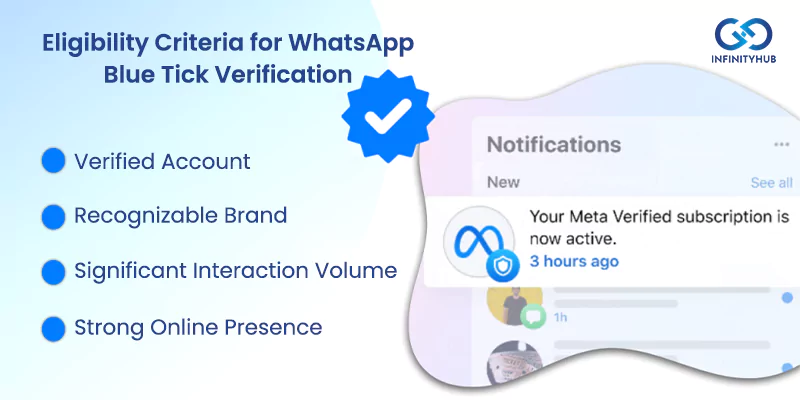
Not all companies are eligible for the coveted blue tick. The essential prerequisites for blue tick certification are listed below:
Additionally, your business must comply with WhatsApp’s policies and terms of service to qualify for the blue tick.
Set Up Your Business Account on WhatsApp
Choose between the WhatsApp Business App or API. The API is best suited for businesses with heavy message traffic.
Adherence to WhatsApp’s Policies
Review WhatsApp’s Business and Commerce Policies to avoid rejection for non-compliance.
Business Profile Completion
Ensure your profile is fully updated with a recognizable business name, official logo, and accurate contact details.
Establish a Strong Online Presence
Maintain a consistent presence on social media, engage with customers, and encourage positive reviews.
Apply through WhatsApp Business API Providers
If using the API, your provider will manage the application process and ensure it meets WhatsApp’s standards.
Submit Your Verification Request
Provide all necessary company information, emphasizing your brand’s reputation and online presence.
The review process can take days to weeks. Only resubmit if requested.
You need not be concerned if your request for WhatsApp Blue Tick Verification is rejected. What you can do next is this:
To sum up, if you want to establish credibility and trust with your audience, getting the WhatsApp Blue Tick Badge is an essential first step. A seamless verification procedure is ensured by comprehending how WhatsApp Blue Tick operates and taking the required actions. Having a solid online presence and following WhatsApp’s guidelines will greatly increase your chances of success, regardless of whether you’re wondering how to earn a blue tick on WhatsApp or want to finish the Blue Tick Verification for WhatsApp Business.